
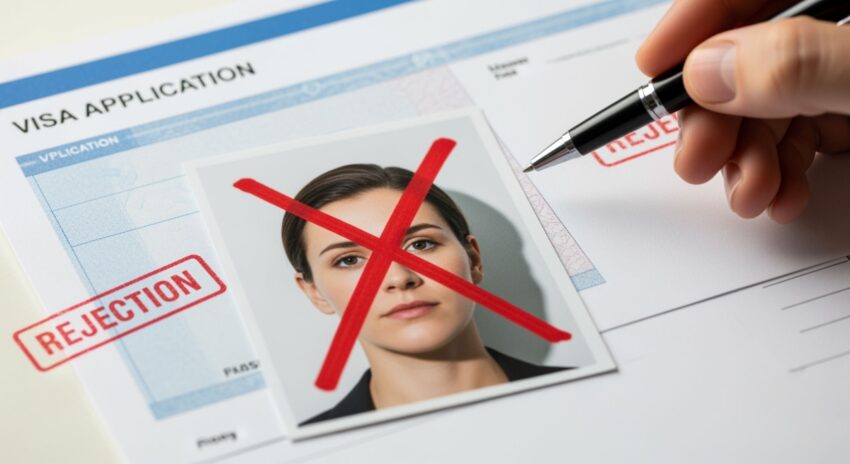
When it comes to applying for visas, passports, ID cards, or official permits, one tiny mistake can throw a wrench into the whole process: your document photo. It sounds simple, right? Snap a quick picture, upload it, and you’re done. But in reality, document photos are one of the most common reasons applications get delayed or outright rejected. Whether you’re applying for a passport renewal, a visa, or a government ID, authorities have strict photo requirements. Miss even one rule, and your perfectly filled application can end up in the rejection pile. Let’s dive into the top five reasons why document photos get rejected and how you can avoid them.
Poor Photo Quality and Resolution
One of the most common reasons document photos get rejected is simply poor quality and low resolution. No matter how sharp your outfit is or how confident your smile looks, a blurry, pixelated, or dark photo can ruin your application. Authorities and automated systems require a clear, high-resolution image to correctly verify your identity, and even slight imperfections can trigger rejection. This is especially critical in applications for passports, visas, or government IDs where facial recognition software plays a major role in identity verification.
Blurriness is one of the main issues applicants face. It can happen due to shaky hands while taking the photo, poor camera focus, or using a low-quality device. Even a minor blur can make the system struggle to identify key facial features. Similarly, pixelation occurs when images are compressed too much or enlarged beyond their original size, creating jagged edges that obscure important details. Both blurriness and pixelation can cause your application to be delayed or outright rejected.
Low contrast and poor lighting are other frequent culprits. If your photo is too dark, too bright, or has shadows across your face or neck, it can obscure facial features and make identification difficult. Shadows around the eyes or chin, uneven lighting, and background shadows all interfere with the automated analysis and can result in a failed submission. A photo with poor contrast may blend your face with the background, further complicating verification.
To avoid these issues, always aim for a high-quality photo. Using a professional camera or photo service is ideal, but if you are taking the picture yourself, ensure proper natural lighting, a well-lit background, and a camera resolution of at least 600 DPI. Simple steps like standing facing the light, using a tripod to reduce shakiness, and checking the image for clarity before submission can make the difference between approval and rejection. Investing time in capturing a crisp, clear photo ensures your application proceeds smoothly without unnecessary delays.
Incorrect Background Color
| Common Mistake | Why It’s a Problem | Effect on Application | How to Fix It | Example |
| Patterned walls | Distracts from facial features | Photo rejected | Use a plain wall or backdrop | Standing in front of wallpaper with floral designs |
| Curtains or furniture in background | Adds clutter, confusing software | Delays or rejection | Remove objects or use plain sheet | Taking a photo in front of a bookshelf |
| Colors too close to skin tone | Blends face into background | Hard to distinguish features | Choose contrasting color | Wearing beige against beige wall |
| Overly bright or dark shades | Causes shadows or glare | Photo fails verification | Adjust lighting, choose neutral color | Using black or neon backgrounds |
| Uneven lighting | Creates shadows across face | Fails automated checks | Use uniform lighting, face light source | Sunlight from side creating half-lit face |
Improper Facial Expression and Pose
Believe it or not, the way you hold your face and head in a document photo can make or break your application. Even small mistakes like tilting your head slightly or smiling too broadly can lead to rejection. Authorities require neutral expressions with eyes fully open and looking directly into the camera. The goal is to capture a clear, accurate representation of your facial features that can be easily verified.
- Maintain a neutral expression with your mouth closed. Avoid smiling or frowning.
- Keep your eyes fully open and clearly visible; do not squint or blink.
- Look directly at the camera; avoid looking sideways or down.
- Keep your head straight and centered; no tilting to the left, right, forward, or backward.
- Ensure hair does not cover your face; tuck long hair behind ears if necessary.
- Remove glasses, sunglasses, or tinted lenses that obscure the eyes unless medically required.
- Avoid wearing headgear unless it is for religious purposes, and even then, ensure your full face is visible.
- Keep facial features relaxed; do not puff cheeks, raise eyebrows excessively, or make exaggerated expressions.
- Maintain a symmetrical posture; shoulders squared and facing the camera.
- Ensure your chin is level; do not tilt it up or down.
- Avoid any props or accessories that obscure the face, including earrings that hang across the cheeks.
- Ensure your skin tone is clearly visible; no heavy makeup or face paint that alters natural appearance.
- Maintain a consistent distance from the camera, so your head and shoulders fill the frame appropriately.
- Check for shadows on your face caused by uneven lighting; adjust lighting to eliminate them.
- Keep your neck visible; do not wear clothing or scarves that obscure the jawline.
Incorrect Size, Dimensions, or Format
One of the most frequent reasons document photos are rejected is due to incorrect size, dimensions, or file format. Authorities set strict requirements for both printed and digital photos, and even minor deviations can lead to rejection. Whether it’s a passport, visa, or ID card, submitting a photo that doesn’t match the required specifications can cause delays and additional stress. Many applicants underestimate how precise these requirements are, thinking “close enough” is acceptable, but in official applications, it rarely is.
Different document types have specific size and resolution standards. For instance, most passports require a 2×2 inch photo at 600 DPI with a plain white background. Schengen visas often need 35mm x 45mm images at the same resolution but allow a light grey or white background. ID cards vary depending on the issuing authority but generally require at least 300 DPI and a plain white backdrop. Understanding these differences is crucial to ensure your photo is accepted without issue.
Common mistakes in this area include submitting photos that are too small or too large, using the wrong file format, or cropping the image incorrectly. Some people upload PNG files when only JPEG is accepted, or they crop too closely, cutting off the top of the head or part of the chin. Others take photos in landscape orientation instead of portrait, which can interfere with automated systems that expect a vertical alignment. Even a slight mismatch with the official dimensions can result in a rejected application.
To avoid these issues, it’s essential to read the official photo specifications carefully before uploading. Many authorities provide detailed guidelines on size, resolution, and acceptable formats. If you’re unsure about your photo, online tools and apps can help check compliance and automatically resize or reformat the image. Taking the time to follow these instructions precisely can save you from unnecessary delays and ensure your application moves smoothly through the verification process.
Wearing Prohibited Clothing or Accessories
| Mistake Type | Specific Issue | Why It’s a Problem | Effect on Application | How to Fix It |
| Clothing | Uniforms | Not allowed unless required for religious reasons | Photo rejected | Wear plain, non-uniform clothing |
| Clothing | Brightly patterned clothes | Distracts from facial features | Application delayed or rejected | Choose solid, neutral colors |
| Clothing | Colors matching background | Blends your face into the backdrop | Hard to distinguish features | Wear contrasting colors |
| Accessories | Hats, caps, head coverings | Obscures facial features unless worn for religious reasons | Photo rejected | Remove headwear unless religious requirement applies |
| Accessories | Sunglasses or tinted lenses | Eyes must be visible for identification | Photo rejected | Remove all eyewear |
| Accessories | Heavy jewelry | Covers or distracts from facial features | Photo may fail verification | Keep jewelry minimal or remove entirely |
| Accessories | AirPods or earphones | Considered obstructions | Photo rejected | Remove any electronic accessories |
| Religious Exceptions | Head coverings for religious reasons | Can cast shadows or hide facial features | Photo may be rejected if coverage is improper | Ensure full face from chin to forehead is visible and avoid shadows |
Extra Tips to Avoid Photo Rejection
Even if you avoid the five main mistakes, there are still several small details that can lead to your document photo being rejected. Paying attention to these finer points can make the difference between a smooth application process and unnecessary delays. Here’s a detailed list of extra tips to keep in mind:
- Always use natural, unedited photos; avoid filters, Photoshop, or beauty apps that alter your appearance.
- Do not scan printed photos; submit digital originals to maintain clarity and resolution.
- Ensure your photo is recent; many authorities reject images older than six months.
- Avoid red-eye effects caused by flash photography; use diffused lighting or adjust camera settings.
- Double-check the specific photo requirements for the country or authority you are applying to, as rules vary widely.
- Make sure your photo is sharp and in focus; blurry or soft images can trigger automatic rejection.
- Use a plain, uniform background with no patterns, textures, or objects behind you.
- Ensure your entire face is visible, from the top of the forehead to the bottom of the chin.
- Keep eyes fully open and looking directly into the camera; squinting or looking sideways can cause rejection.
- Remove all non-essential accessories, including headphones, earphones, hats, or jewelry that obscure facial features.
- Check that the lighting is even; avoid shadows on the face, neck, or background.
- Maintain proper proportions and framing, with the head and shoulders clearly visible in the photo.
- Verify that the file format and size comply with official requirements; some authorities only accept JPEG or PNG files within a specific size range.
- Avoid wearing clothing that blends into the background; choose colors that provide good contrast.
- Review the final image before submission to ensure no accidental cropping or distortion occurred during scanning or resizing.
- Consider using professional photo services if you are unsure about meeting all requirements, especially for passports and visas.
Lighting and Exposure Issues in Document Photos
Another often-overlooked factor that can cause document photos to be rejected is improper lighting and exposure. Even if the composition, background, and pose are perfect, a photo that is too dark, too bright, or unevenly lit can obscure facial features and make the image unacceptable. Proper lighting is essential for creating a clear and identifiable image that authorities can verify without difficulty.
Many applicants make the mistake of using direct flash or harsh overhead lighting, which can create glare, shiny spots on the skin, or harsh shadows. These lighting issues not only distract from the face but also make it difficult for facial recognition systems to accurately map your features. Soft, diffused lighting is ideal because it illuminates the entire face evenly and eliminates unwanted shadows.
Exposure is equally important. Photos that are underexposed appear too dark, hiding details of the face, while overexposed photos wash out features, making them harder to recognize. Achieving the correct exposure requires adjusting the camera settings or positioning yourself in natural light that evenly covers your face. Even smartphones today have tools to adjust exposure levels before taking the picture, which can make a big difference.
To prevent lighting and exposure issues, always take your photo in a well-lit environment with balanced, diffuse lighting. Avoid strong backlighting from windows or bright lights behind you, as this creates silhouettes. Position yourself facing the light source so your face is fully visible, and check the photo carefully for any shadows, glare, or washed-out areas before submission. Proper lighting ensures your facial features are clear, helping your application pass without unnecessary delays.